Introducing the Expert FX Volcano Trading System MT4
Name: FX Volcano Trading System
Version: New Version
The Right Platform: Meta Trader 4 (MT4)
Our Telegram Team: Join now
Our Youtube Channel: Click here
What is FX Volcano Trading System MT4?
FX Volcano Indicator MT4 – Multi-Tool Precision for Manual Traders
FX Volcano Indicator MT4 is an advanced, multi-functional custom indicator suite built for MetaTrader 4, engineered to empower traders with real-time entry validation, dynamic currency strength analytics, and intuitive multi-symbol control—all within a single, streamlined interface.
Highly customizable and remarkably user-friendly, FX Volcano is ideal for manual traders who depend on visual confirmation, smart alerts, and strength-based filtering to make fast, accurate trading decisions. Its modular design allows traders to tailor the system to fit their strategy—whether trend-following, countertrend, or breakout-based.
Key Features of FX Volcano Indicator
- Instant Entry Confirmation Alerts
Get notified the moment a trade setup is detected with real-time alerts, including pop-ups, mobile push notifications (MT4 app), and audio cues—ensuring you're always one step ahead. - On-Chart Currency Strength Display
Visualize currency strength and trend bias directly on your chart using a color-coded strength meter, making it easy to identify the strongest and weakest pairs at a glance. - Multi-Symbol Trade Control Panel
Manage multiple currency pairs from a single interface using an intuitive, button-based control panel, allowing for fast switching and centralized trade monitoring. - Proactive Alert System
Designed to reduce screen time, the alert engine prioritizes real-time delivery and ensures you never miss a critical opportunity—whether you’re at the desk or on the go.
Why Traders Choose FX Volcano Indicator?
- Real-Time Decision Support
Streamlines manual trading with live alerts and on-screen trade cues, removing the need for constant chart watching and enabling fast, data-informed decisions. - Enhanced Manual Precision
Ideal for hands-on traders, the system improves accuracy through clear visual confirmations, currency strength logic, and bias-driven filtering. - Comprehensive Market Insights
The built-in currency strength analytics offer an intuitive way to detect trend alignment and pinpoint optimal entry zones based on cross-pair dynamics. - Seamless Multi-Pair Management
Easily manage and monitor your favorite pairs in real time via the interactive symbol selector, perfect for traders operating across multiple charts. - Highly Customizable Interface
Tailor every aspect—from alert types to UI layout—to match your personal trading workflow and chart preferences. - Scalper & Day Trader Friendly
Whether you’re scalping 1-minute moves or trading intra-day swings, the tool is built to provide fast insights, quick access, and minimal distractions. - Accelerated Execution
Its intuitive design and fast toggling reduce execution lag, helping traders capitalize on setups without delay.
🧭 How to Use FX Volcano Indicator Effectively
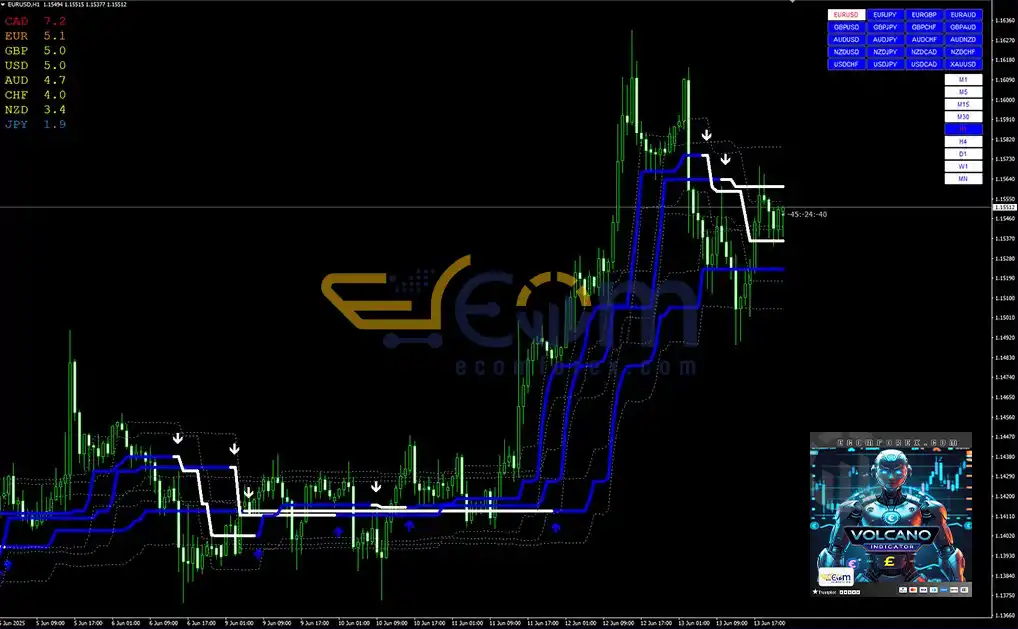
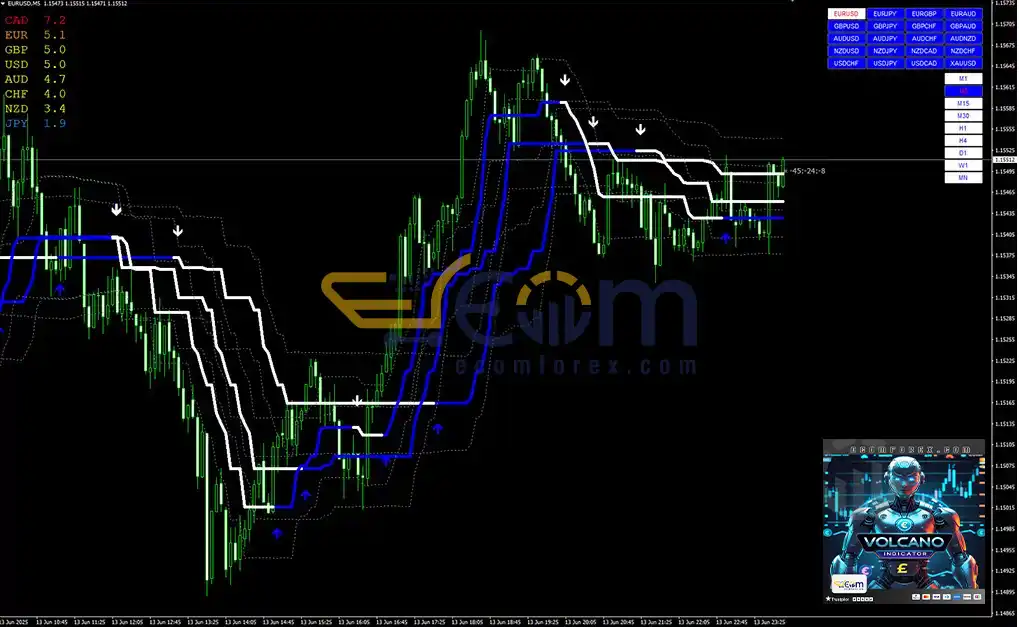
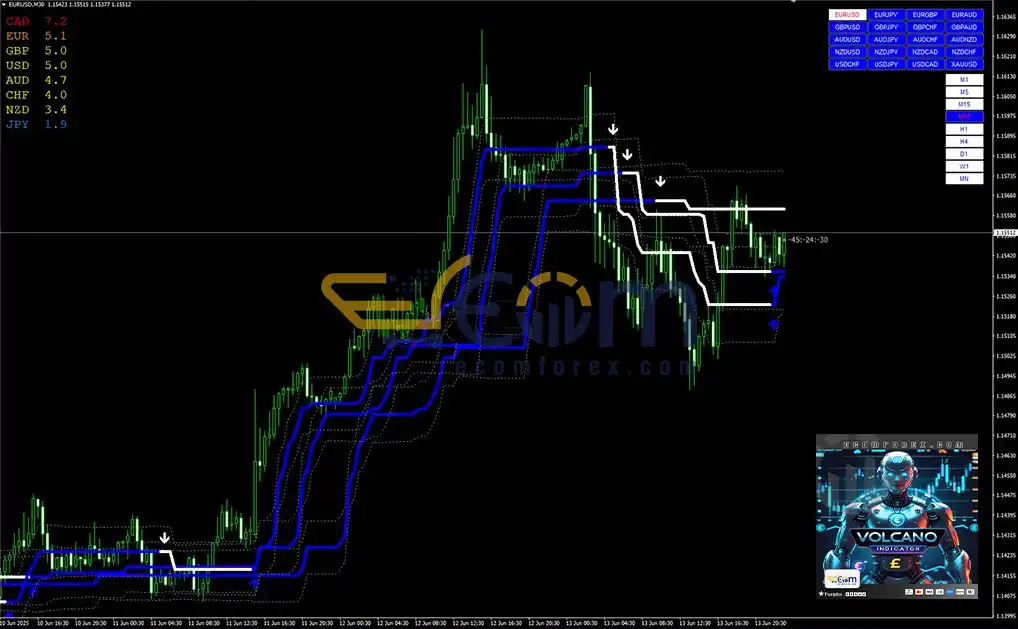
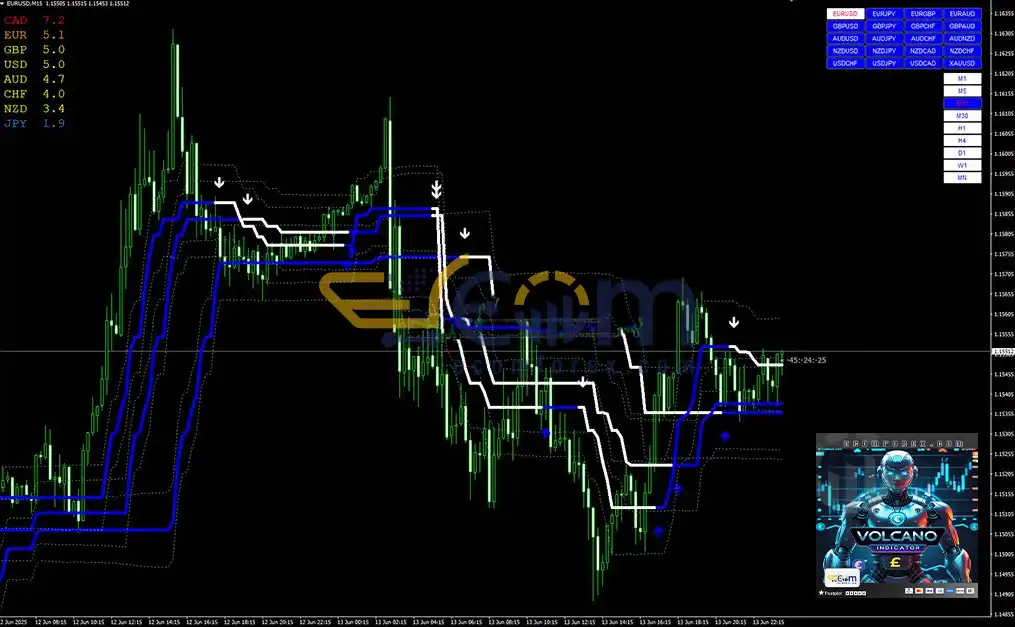
The FX Volcano Indicator combines multiple visual layers and dynamic elements to help traders quickly identify high-probability trade setups. Here's a step-by-step guide to mastering its key components:
1. 🔵 White & Blue Dynamic Lines
Purpose: Represent adaptive support and resistance zones or dynamic price channels where price frequently reacts.
How to trade it:
-
Buy Setup: When price touches or bounces off the lower band (support) and is accompanied by a green upward arrow.
-
Sell Setup: When price touches or gets rejected at the upper band (resistance) and is confirmed by a red downward arrow.
2. 🔺 Green & Red Arrows (Signal Arrows)
Purpose: These are the core trade signals generated by the system based on internal momentum, trend, and price action logic.
How to interpret:
-
Green Arrow (Buy Signal): Indicates a bullish opportunity detected by the system.
-
Red Arrow (Sell Signal): Suggests a bearish setup is forming.
📌 These arrows should ideally appear near the dynamic channel lines for higher probability setups.
3. ⚫ Black Dotted Lines
Purpose: These serve as range boundaries, volatility markers, or secondary support/resistance levels depending on current market conditions.
How to use:
-
Use them as confirmation zones for entries.
-
Ideal locations to consider placing Stop Loss or Take Profit targets based on how price interacts with them.
4. 📊 Interactive Information Panel (Top Right)
Purpose: A compact control panel displaying real-time currency pairs and multiple timeframes (M1 to MN).
How to use:
-
Click on any listed pair or timeframe to instantly switch your chart.
-
Perfect for multi-timeframe analysis or tracking multiple instruments without switching charts manually.
5. 🔁 Quick Trading Formula (Signal Combination)
-
✅ Buy Setup: Look for a green upward arrow appearing near or at the lower support band (white or blue line).
-
✅ Sell Setup: Look for a red downward arrow forming near or at the upper resistance band.
📈 For best results, combine signals with currency strength context and recent price behavior.
🎯 Pro Tip: Use confluence — when the green/red arrow aligns with a bounce from a support/resistance line and confirms with a dotted level — that’s when the FX Volcano setup is at its strongest.
Performance of FX Volcano Trading System MT4
FX Volcano Trading System MT4 – Built for Clarity, Powered by Speed
FX Volcano Trading System MT4 combines an intuitive user interface, adaptive visual analytics, and a real-time alert system, enabling traders to make precise, confident decisions—without the need to constantly watch the screen.
Whether you're a scalper, a day trader, or a visual strategy-driven analyst, FX Volcano equips you with the clarity, responsiveness, and actionable insight needed to stay ahead in fast-moving markets.
⚡ Designed for traders who value both speed and simplicity, FX Volcano transforms complex market data into clear visual signals—so you can react faster, trade smarter, and execute with conviction.
Recommended Configuration for FX Volcano Trading System MT4
What do you get After Downloading?
- Indicators:
- Candle_Timer.ex4
- FXVOLCANO_Entry1.ex4
- FXVOLCANO_Entry1.ex4
- FXVOLCANO_Entry1.ex4
- FXVolcanoCS.ex4
- FXVolcano_TradingAssistant.ex4
- Templates:
- FXVolcano1.tpl
- FXVolcano2.tpl
- FXVolcano3.tpl
🤗WISH YOU SUCCESSFUL TRADING🤗